- Agency Benefits
- Strategy
- Social Media
- SEO
- Product Reviews
- Seasonal Promotions
- Property
- Research
- Content
- AI
- Gaming
Website Maintenance Checklist For UK Small Businesses
By Johan, copywriter at Business Mate. Last updated 23 November 2026.
Website maintenance is the regular work that keeps your site secure, fast, accurate and visible on Google: updating software, backing up, checking forms and links, refreshing content and watching Search Console. A website is not finished when it launches. Without maintenance, plugins go out of date, pages slow down, forms quietly break and enquiries stop, often without anyone noticing for weeks.
This checklist splits the work into weekly, monthly, quarterly and yearly jobs, so a small business can keep on top of it in an hour or two a month.
👉 Want someone to check your site for you? Book a free call or message us.
Why Website Maintenance Matters: The Numbers
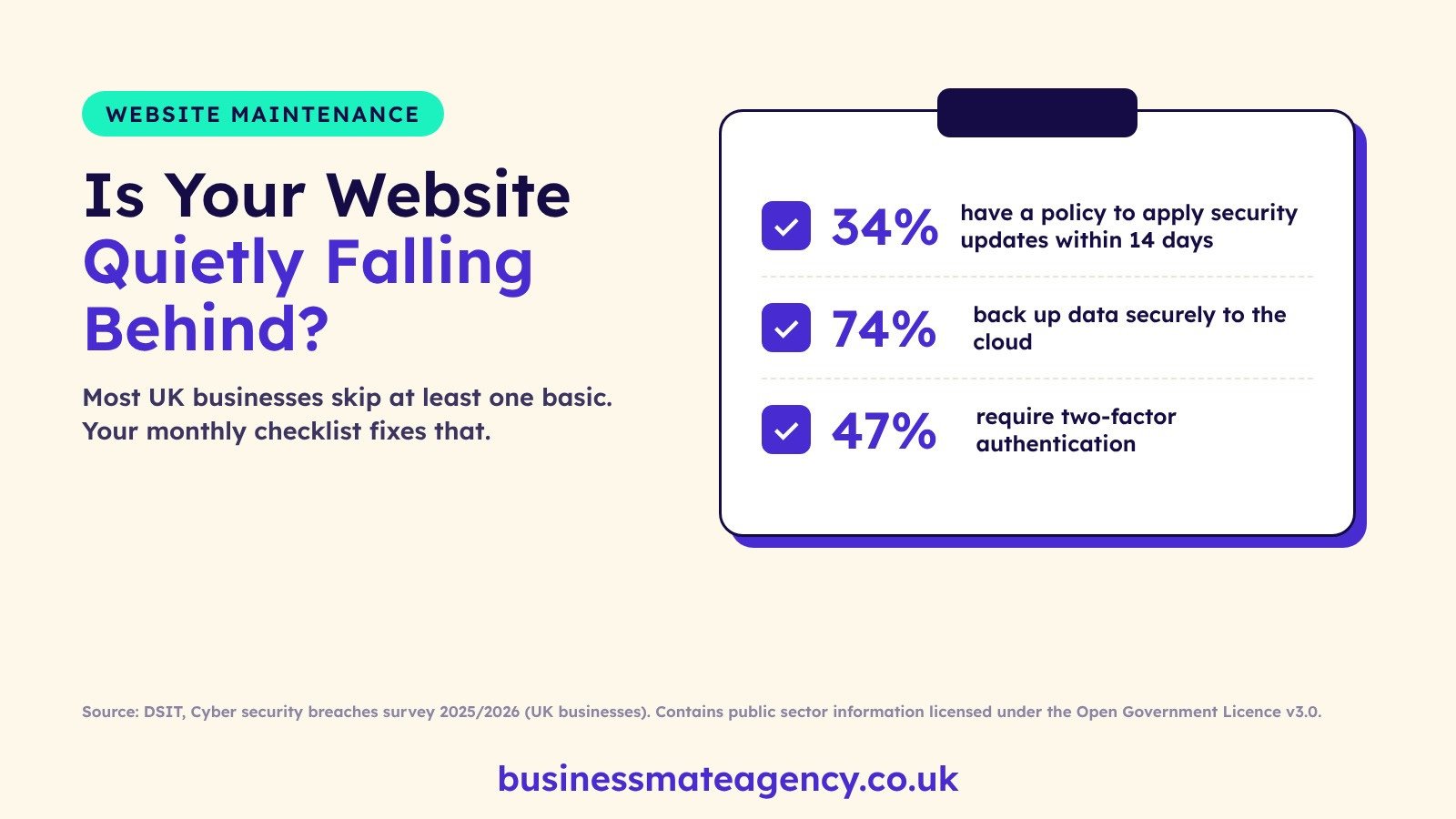
The government’s latest cyber security survey shows many businesses still skip the basics that keep a website safe.
| The figure (UK businesses, 2025/2026) | What it means | The marketing move |
|---|---|---|
| 34% have a policy to apply software security updates within 14 days | Two in three may leave known weaknesses open for weeks | Update your website software, theme and plugins every month, or on automatic |
| 74% back up data securely via a cloud service | About one in four could lose their site and data with no copy | Keep automatic daily website backups stored away from your host |
| 47% require two-factor authentication | Over half rely on passwords alone | Turn on two-factor login for your website, domain and Google accounts |
Source: Department for Science, Innovation and Technology, Cyber security breaches survey 2025/2026. Contains public sector information licensed under the Open Government Licence v3.0. Our cyber security statistics for small businesses has more.
Weekly Website Maintenance Checklist
- Send a test enquiry through every form and check it arrives.
- Check the home page, contact page and booking or shop pages load properly on a phone.
- Reply to any new website messages, comments or chats.
- Glance at your Google Business Profile for new reviews and questions.
Monthly Website Maintenance Checklist
- Update everything: the website software, theme and plugins (take a backup first).
- Check backups: confirm the latest backup exists and can be restored.
- Test speed: run your key pages through PageSpeed Insights and fix anything new.
- Check Search Console: look for indexing errors, security issues and pages losing clicks. Google’s Search Console guide explains each report.
- Fix broken links and any 404 pages.
- Review analytics: enquiries, top pages and where visitors come from.
Get the free 2027 Marketing Playbook
The plans, checklists and templates we use for UK small businesses. 10 pages, yours free.
By signing up you will get our monthly marketing tips. Unsubscribe any time. Privacy policy.
Quarterly And Yearly Checks
| When | Task |
|---|---|
| Every quarter | Refresh prices, opening hours, team and service details on every page |
| Every quarter | Update one or two important pages with new information, FAQs or photos |
| Every quarter | Review who has admin access and remove old users |
| Every year | Renew your domain name and SSL certificate, and check your hosting plan still fits |
| Every year | Check your privacy and cookie notices still match the tools you use |
| Every year | Run a full SEO audit and a conversion review |
For the full SEO side, use our free SEO audit checklist or a technical SEO audit. If your site has dropped out of Google, start with why your website is not showing on Google.
👉 Want your website kept fast, secure and up to date? Our creative design team builds and looks after small business sites. See our creative design.
Security Basics Every Small Business Site Needs
The National Cyber Security Centre’s Small Business Guide sets out the essentials. For a website, that means:
- Automatic updates or a monthly update routine.
- Daily backups stored somewhere other than your web host.
- Two-factor authentication on the website, hosting, domain and email accounts.
- Strong, unique passwords kept in a password manager.
- An SSL certificate (the padlock) on every page.
Website Maintenance Is Also Marketing
Maintenance is not only about security. A fast, up-to-date site ranks better, converts more visitors and keeps your Google Business Profile, ads and emails pointing to pages that work.
| Maintenance task | Marketing result |
|---|---|
| Fixing slow pages | More visitors stay and enquire; better rankings |
| Testing forms weekly | No lost leads |
| Refreshing key pages | Google sees an active, accurate site |
| Updating prices and details | Fewer wasted calls and complaints |
Choosing a new platform? Read our guide to the best website builder for small business. Our website design service builds and fixes small business sites, and our SEO content writing keeps key pages fresh.
👉 Want a site that keeps bringing enquiries? Contact Business Mate or book a free call.
How Business Mate Can Help
Pick one service or combine them in a monthly plan. Every plan has clear prices and no long contracts.
| Service | What you get | Learn more |
|---|---|---|
| Website and brand design | Websites, landing pages, logos and brand kits; quoted after a free call | creative design |
| Content packages | Four SEO articles a month from £250, Growth from £550; page copy from £100, guides from £150, case studies from £250 | content marketing |
| SEO plans | Local SEO Starter from £300 a month, Growth from £550 and Authority from £850 | SEO services |
| Automation and CRM | Instant enquiry replies, lead tracking, reminders and follow-ups connected to your CRM and email; quoted after a free call | CRM and automation |
Not sure which fits? Book a free call and we will recommend the right mix for your goals and budget.
Sources
Every figure and rule in this guide comes from these sources:
- Department for Science, Innovation and Technology, Cyber security breaches survey 2025/2026. Contains public sector information licensed under the Open Government Licence v3.0.
- National Cyber Security Centre, Small Business Guide
- Google Search Central, Get started with Search Console
- Google PageSpeed Insights
- Business Mate prices: shop (checked 21 November 2026)
FAQs
What does website maintenance include?
Website maintenance includes software and plugin updates, backups, security checks, speed tests, fixing broken links and forms, refreshing content and watching Google Search Console for errors.
How often should a website be maintained?
Check forms and key pages weekly, update software and check backups monthly, refresh content every quarter and renew your domain, SSL and audits every year.
Can I do website maintenance myself?
Yes. Most tasks take an hour or two a month with a checklist. Get help for anything technical, such as failed updates, security problems or speed issues.
Why is website maintenance important for SEO?
Google favours sites that load quickly, work on phones and stay accurate. Broken pages, slow speed and security problems can reduce rankings and lose enquiries.
What happens if I do not maintain my website?
Out-of-date software can be exploited, forms can stop working and pages slow down, so you lose visitors and enquiries, sometimes without noticing for weeks.
Can Business Mate check our website?
Yes. We help with website and brand design, content packages, SEO plans and automation and CRM, as single services or a monthly plan. Book a free call to talk it through.