- Agency Benefits
- Strategy
- Social Media
- SEO
- Product Reviews
- Seasonal Promotions
- Property
- Research
- Content
- AI
- Gaming
LinkedIn Ads For UK Businesses Costs Targeting And Set-Up
By Johan, copywriter at Business Mate. Last updated 21 November 2026.
LinkedIn Ads are paid adverts shown to LinkedIn members, and their strength is targeting: you can choose who sees them by company size, industry, job title and seniority. That makes LinkedIn the most precise paid channel for reaching business decision makers in the UK. Clicks cost more than on Facebook or Google, so LinkedIn Ads work best when you sell to other businesses and one new client is worth hundreds or thousands of pounds.
This guide covers what LinkedIn Ads cost, the targeting options, which ad format to start with, a step-by-step set-up and how to judge whether they are working.
👉 Want LinkedIn Ads that bring real B2B leads? Book a free call or message us.
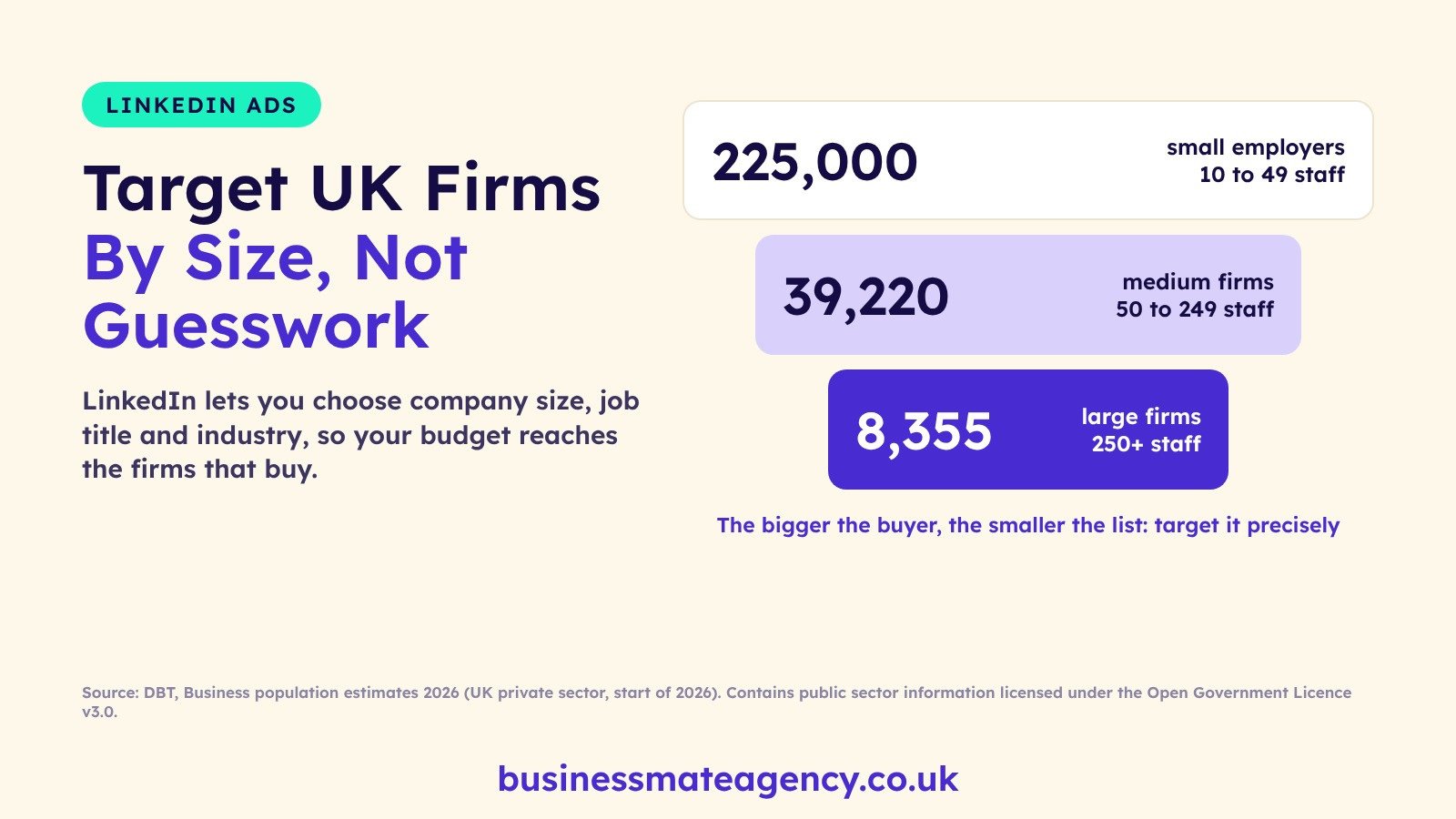
Who You Can Reach: UK Businesses By Size
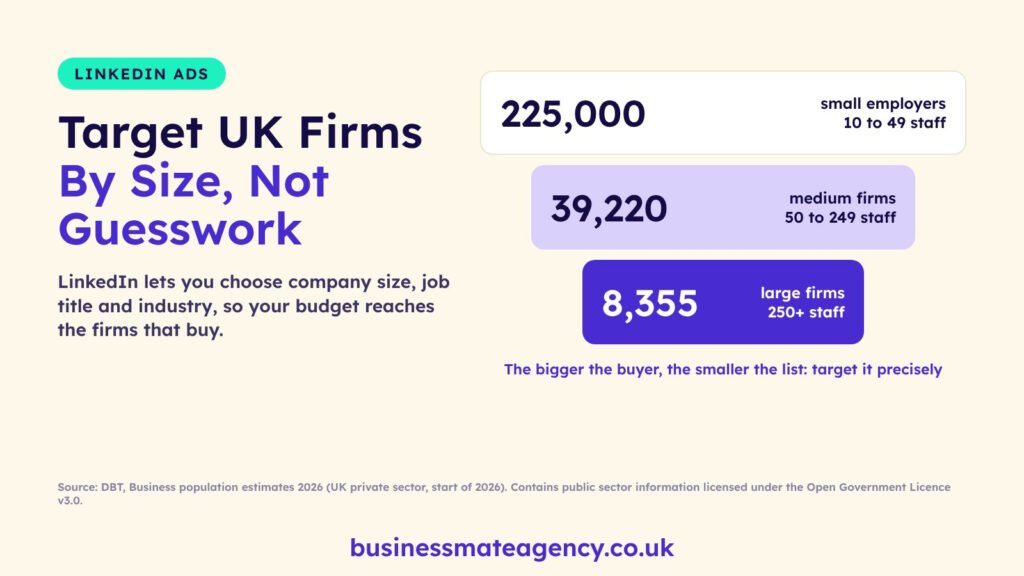
LinkedIn lets you target by company size, so it helps to know how many UK firms sit in each band. The bigger the buyer you want, the smaller the list, which is exactly where precise targeting pays.
| The figure (UK, start of 2026) | What it means | The marketing move |
|---|---|---|
| About 225,000 small employers have 10 to 49 staff | A large market of owner-led firms | Target company size 11 to 50 with owner, founder and director titles |
| 39,220 medium-sized firms have 50 to 249 staff | A short list with specialist buyers (marketing, HR, finance, IT) | Target by job function and seniority rather than owner titles |
| 8,355 large firms have 250 or more staff | Very few firms, but they employ 40% of private sector workers and take 50% of turnover | Upload a target company list with Matched Audiences and run account-based campaigns |
Source: Department for Business and Trade, Business population estimates for the UK and regions 2026, UK private sector businesses at the start of 2026 (small employer count rounded to the nearest thousand in the source table). Contains public sector information licensed under the Open Government Licence v3.0.
👉 Not sure which firms to target? Our £120 strategy call and action plan maps your ideal B2B buyer first.
How Much Do LinkedIn Ads Cost?
You set your own budget. LinkedIn’s budget guidance gives a minimum daily budget of $10 for any ad format, and its help page on budgets and bidding explains the bidding choices. In pounds, the minimum is roughly £8 a day, but most B2B tests need more to gather enough data.
| Cost item | How it works | Our tip |
|---|---|---|
| Daily or lifetime budget | You set a cap per campaign | Start with one campaign and a budget you can run for four to six weeks |
| Bidding | Maximum delivery (automated), cost cap or manual bidding | Use cost cap or manual bids to stop costs running away on small budgets |
| What you pay for | Clicks, impressions or message sends, depending on the ad | Measure cost per lead and cost per meeting, not cost per click |
| Management | Optional agency or freelancer fee | Business Mate ad management from £350 a month, ad spend separate |
Compare that with other channels in our guides to SEO vs PPC, Google Ads and Meta ads. For the full picture of agency fees, see how much a marketing agency costs.
Get the free 2027 Marketing Playbook
The plans, checklists and templates we use for UK small businesses. 10 pages, yours free.
By signing up you will get our monthly marketing tips. Unsubscribe any time. Privacy policy.
LinkedIn Ads Targeting Options
Targeting is where LinkedIn earns its higher prices. These are the main options listed in LinkedIn’s targeting help page:
- Company size: based on the employee count on the company’s LinkedIn Page.
- Company industry: the primary industry the company lists.
- Job title, function and seniority: reach owners, directors or specific roles such as marketing managers.
- Location: the UK, a region or a city.
- Matched Audiences: upload a list of target companies or contacts, or retarget people who visited your website.
LinkedIn says an audience needs at least 300 member accounts to run. Avoid narrowing to a handful of job titles; a slightly wider audience gives the campaign room to learn.
Which LinkedIn Ad Format To Start With
| Format | Best for | When to use it |
|---|---|---|
| Single image Sponsored Content | Most B2B offers | Start here: simple to make and easy to test |
| Lead Gen Forms | Enquiries and downloads | Pair with Sponsored Content so people enquire without leaving LinkedIn |
| Video ads | Explaining a service or showing your team | Once you know which message works |
| Document ads | Guides, checklists and reports | When you have a useful free resource to offer |
| Retargeting | People who visited your site | Add once your website has steady traffic |
How To Set Up LinkedIn Ads Step By Step
- Create or tidy your LinkedIn Page. Ads run from your company Page, so it should look complete. Our LinkedIn B2B marketing guide covers the organic side.
- Open Campaign Manager and create an ad account linked to your Page.
- Install the LinkedIn Insight Tag on your website to track conversions and build retargeting audiences.
- Choose one objective, usually lead generation for B2B.
- Build the audience by company size, industry and job title or seniority.
- Write two or three ad versions with one clear offer, such as a free call, audit or guide.
- Set a budget and bid cap, then launch and leave it for at least two weeks before judging.
- Send every lead into your CRM and follow up the same day. See CRM for small business.
👉 Want it set up and managed for you? Our ad management starts from £350 a month for one platform.
How To Tell If LinkedIn Ads Are Working
| Measure | Why it matters |
|---|---|
| Cost per lead | The first sign the targeting and offer work |
| Lead quality | Are leads from the right size of company and the right roles? |
| Cost per meeting or proposal | Closer to revenue than clicks |
| Revenue per client | Tells you how much you can afford per lead |
LinkedIn suits long B2B sales cycles, so track leads for a few months, not a few days. Our guides to lead generation in the UK and B2B marketing show how ads fit with content and email, and our one-page marketing plan template helps you set the target first.
👉 Ready to reach UK decision makers? Contact Business Mate or book a free call.
Sources
Every figure and rule in this guide comes from these sources:
- Department for Business and Trade, Business population estimates for the UK and regions 2026. Contains public sector information licensed under the Open Government Licence v3.0.
- LinkedIn Help, Targeting options for LinkedIn Ads
- LinkedIn Help, Set a budget, schedule, and bid for your ad campaign
- LinkedIn Marketing Solutions, Making the most of your budget
- Business Mate prices: advertising services and shop (checked 21 November 2026)
FAQs
How much do LinkedIn Ads cost in the UK?
You choose your own budget. LinkedIn’s own guidance gives a minimum daily budget of $10 (about £8) per campaign, and you pay for clicks, impressions or sends depending on the ad type. Clicks usually cost more than on Facebook or Google because the audience is business decision makers, so judge it on cost per qualified lead, not cost per click.
Are LinkedIn Ads worth it for a small business?
They are worth it when you sell to other businesses and one new client is worth a lot, such as consultancy, software, recruitment, training or professional services. For consumer products or low-value sales, Meta or Google ads usually bring cheaper results.
What targeting can you use on LinkedIn Ads?
LinkedIn lets you target by company size, company industry, job title, job seniority, skills and location. You can also upload a list of companies or contacts, or retarget people who visited your website, using Matched Audiences.
What is the minimum audience size for LinkedIn Ads?
LinkedIn’s help centre says an audience must contain at least 300 member accounts for an ad set to run. In practice, a larger audience gives the campaign room to learn.
Which LinkedIn ad format should I start with?
Most B2B advertisers start with single image Sponsored Content in the feed, paired with a Lead Gen Form so people can enquire without leaving LinkedIn. Add video or document ads once you know which message works.
Can Business Mate run our LinkedIn Ads?
Yes. Our ad management starts from £350 a month for one platform, with ad spend paid separately to LinkedIn. We set up targeting, Lead Gen Forms and tracking, then report on cost per lead. Book a free call to talk it through.